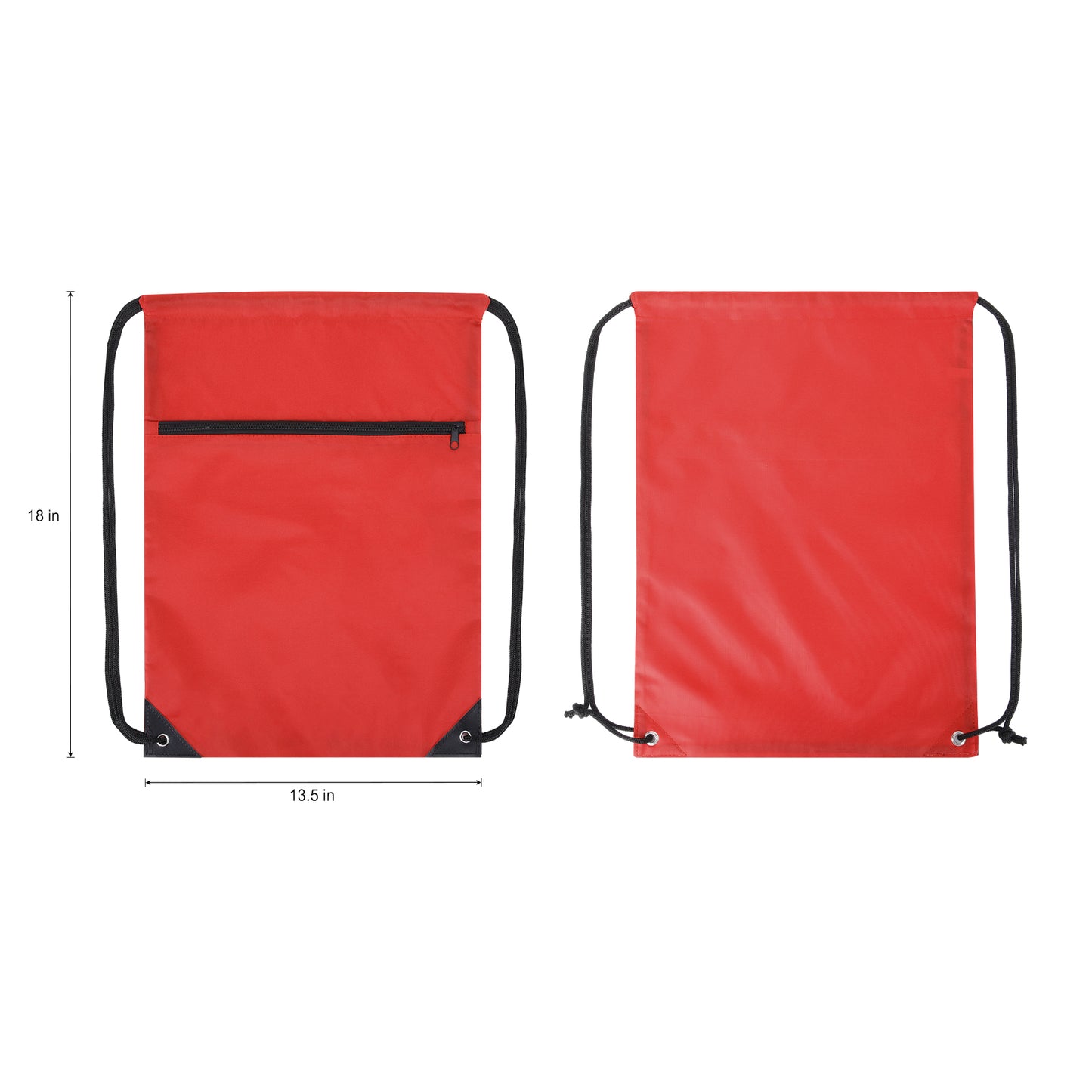
Crafted from eco-friendly 420D RPET polyester, this drawstring backpack is both durable and sustainable—an ideal choice for modern promotions. Reinforced black triangle corners with metal grommets and sturdy drawcord straps provide lasting strength and comfortable wear. Inside, non-woven binding on the seams enhances structure and extends the life of the bag. A convenient front zippered pocket keeps essentials within easy reach, making this bag perfect for daily use, travel, events, and giveaways. Designed with versatility in mind, it’s an excellent fit for schools, sports teams, trade shows, and branded campaigns. With its generous imprint area, your logo or message will stand out in style while promoting your commitment to sustainability.
For Screen Printing:
- Size: Set your artwork to the actual dimensions you want it printed.
- Color Mode: File in the CMYK color model. For single-color printing, submit your artwork in 100% black on a transparent or white background, the black areas will be printed.
- Resolution: 300 dpi for optimal clarity.
For Digital T-Shirt Printing:
- Size: Set your artwork to the actual dimensions you want it printed.
- Color Mode: Save your file in the CMYK color model on a transparent background.
- File Format: Preferred formats are .PDF or .PNG with a minimum resolution of 300 dpi; .PNG files usually provide the best results.
For Digital Large Format Printing:
- Size: Set your artwork to the actual dimensions you want it printed.
- Color Mode: Save your file in the CMYK color model.
File Format: Acceptable formats include .PDF, .JPEG with a minimum resolution of 150 dpi; .PDF files are often preferred.
For Offset Printing:
- Size: Set your artwork to the actual dimensions you want it printed.
- Bleed Area: Include a bleed area of 2mm to 4mm (0.125" to 0.25") beyond the finished size. For example, for a 5" x 7" postcard, the design size should be 5.125" x 7.125".
- Color Mode: Save your file in the CMYK color model.
- File Format: Preferred formats are .PDF or .JPEG with at least 300 dpi resolution; .PDF files typically yield the best results.
- Text: Rasterize or convert all text layers to outlines to prevent font issues.